How do I set up multi-factor authentication (MFA) on my Corvus account?

Use an authenticator app to set up MFA for your Corvus account as a broker partner
Multi-factor Authentication (MFA) is an authentication method that requires the user to provide two or more credentials in order to gain access to an account, which decreases the likelihood of a threat actor gaining access given the additional verification step. To ensure that your Corvus account is as safe and secure as possible, we will be requiring MFA for all users.
Steps for brokers setting up MFA from their login screen (if prompted)
1. Log in to the dashboard using your email and password login credentials.
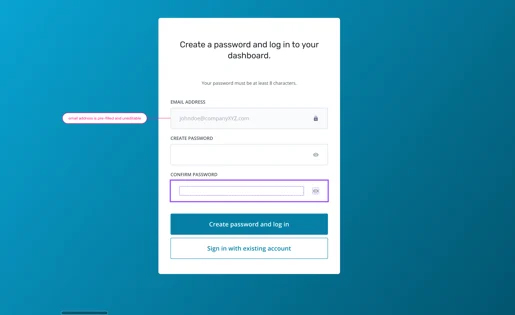
2. After logging in, you may see a page that prompts MFA setup. Select “Set up MFA”.
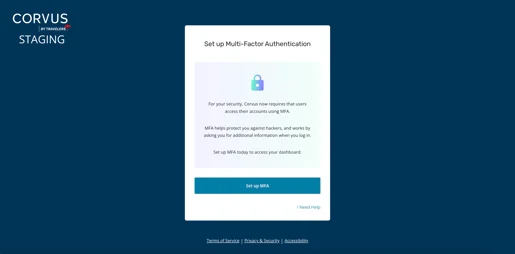
3. On your smartphone, open your preferred authenticator app. If needed, download an authenticator app such as Google Authenticator or Microsoft Authenticator from your phone's app store. Then click “Next Step”.
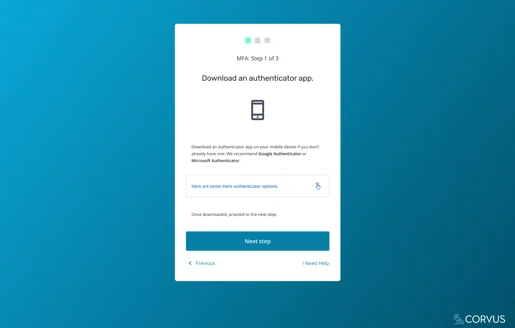
4. Locate the scan QR code feature within your authenticator app of choice, then click “Go to last step”.
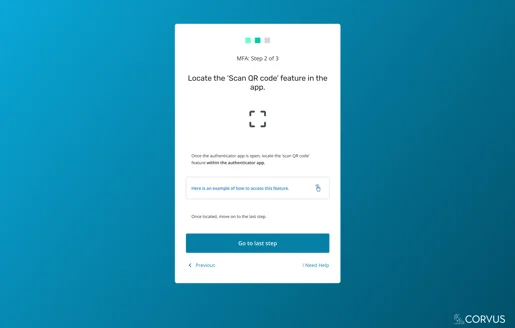
5. Scan the QR code and enter the 6-digit code returned.
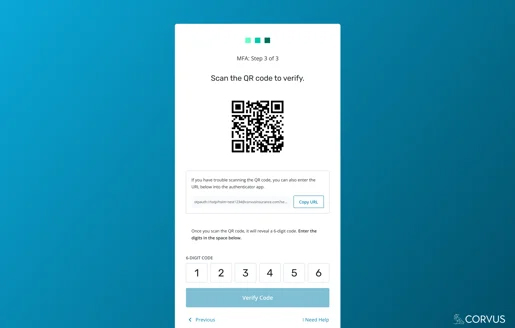
6. Select “Verify Code”
7. Congrats! MFA is set.
Steps for setting up MFA when logged into Corvus dashboard
- Click your own name shown in the upper righthand corner, then select “Settings”.
- Find the “Multi-factor Authentication” area of the settings page.
- Follow steps 3-5 in the section above: open or download an authenticator app, scan the QR code shown, and enter the code from your app.
- Congrats! MFA is set.
Should you run into any problems setting up MFA and/or accessing your account, please do not hesitate to reach out to [email protected]. We’d love to make sure you can access your account as seamlessly and securely as possible!