
How do I download loss runs?

1 minute
Last Updated May 28, 2026
You can now download loss runs straight from the Travelers Cyber Risk Dashboard. Here's how.
Need a loss run for your Cyber, Cyber Excess. Tech E&O, or Tech Excess policy? In a matter of minutes — and just four steps — you can download it straight from the Travelers Cyber Risk Dashboard. No back-and-forth emails necessary.
1. Log in to the Broker Platform here.
2. Locate your client using the search bar or the Clients list on the broker home page.
3. Once on the Client page, scroll down to find the "Loss Run Export" section.
4. Click "Generate Report" and find the loss run report in your email (this make take a few minutes). 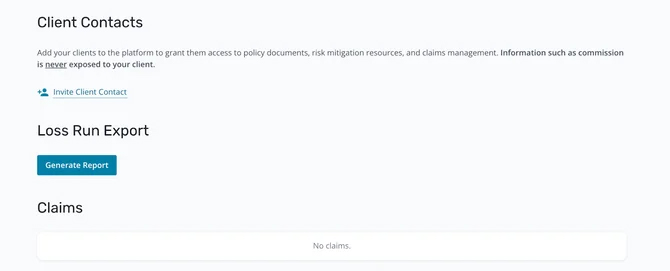
Need some help? Send questions to [email protected].
Head to the Travelers Cyber Risk Dashboard to get started!