How Do I Add Surplus Lines Taxes and Fees to a Quote?

1 minute
Last Updated May 29, 2026
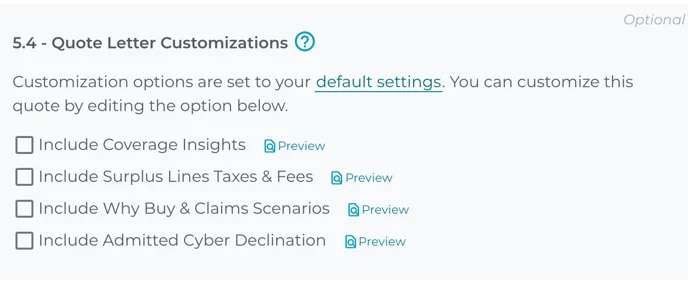
You have the option to add Surplus Lines Taxes and Fees information into a quote letter at the time of submission. Here's how.
When preparing an online application for Smart Cyber Insurance in the CrowBar, you'll see check boxes enabling you to add additional information or resources to the quote letter Corvus sends you. These options appear at the end of the online application, just before the button to submit.
This article is specific to Surplus Lines Taxes and fees. Wondering about the rest of the options? Click here to learn more about customizing your quote letter.
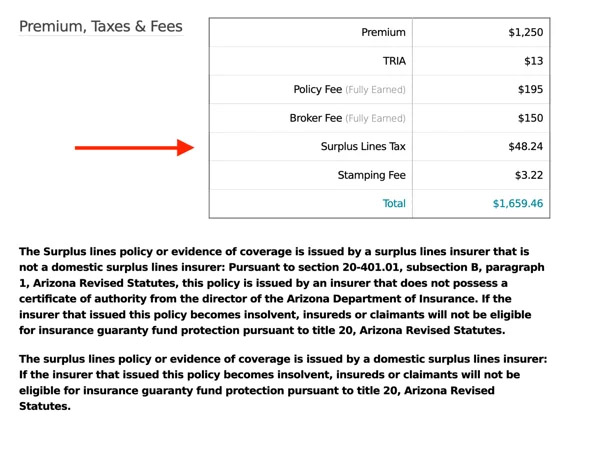
Selecting to include Surplus Lines Taxes & Fees simply inserts a line into the existing table showing Premium, Taxes and Fees in our standard quote, along with a disclaimer.